No-code single-cell analysis
Single-cell RNA-seq analysis, without code
Exona runs on your machine or your cluster, so your data never leaves your hands.
Who it is for
Built for teams with or without bioinformaticians
Exona fits the way your lab already works, whoever runs the analysis.
Teams without a bioinformatician
Wet-lab researchers analyse their own single-cell RNA-seq data in the desktop app, from 10x Genomics output to clusters and marker genes, without writing code. When a project needs more, our consultants work with you.
Teams with bioinformaticians
Biologists run routine analyses themselves, so your bioinformaticians can focus on new methods. Custom compute plugins run Exona's analyses on your own cluster or HPC, following your IT rules.
What we offer
A desktop app, custom integrations and expert help
Start with the desktop app for everyday analysis, and add engineering or consulting when a project needs it.
Exona desktop app
Import 10x Genomics data, then run quality control, normalization, clustering and UMAP in guided steps on Windows, macOS or Linux. Licensed per seat.
Explore the desktop appCustom compute plugins
We build compute plugins that run Exona's analyses on your own servers, cluster or HPC, following your IT rules, as versioned releases available only to your organization.
Discover custom integrationsExpert consulting
On-demand bioinformatics analyses, per project, in close contact with your team.
Learn about consulting
Why Exona
Four principles behind every analysis
No-code analysis
Guided steps replace scripts. Exona installs and manages its own R and Python environment, so there is nothing to set up in a terminal.
Reproducibility and provenance
Every step records its parameters, software versions and timestamps, and each project is a self-contained folder on your disk, with no lock-in.
Local or cluster/HPC
Analyses run on your own machine, or on your own server or cluster through a compute plugin. No telemetry: your data stays in your hands.
Publication-ready plots
Quality control, PCA, UMAP and gene feature plots drawn with ggplot2 and exported as high-resolution PNG figures.
How it works
From raw data to marker genes
One guided path through a standard single-cell RNA-seq analysis, with suggested settings where it matters.
Import your data
Load 10x Genomics Cell Ranger output, merge samples and add organism, condition and batch metadata.
Check quality
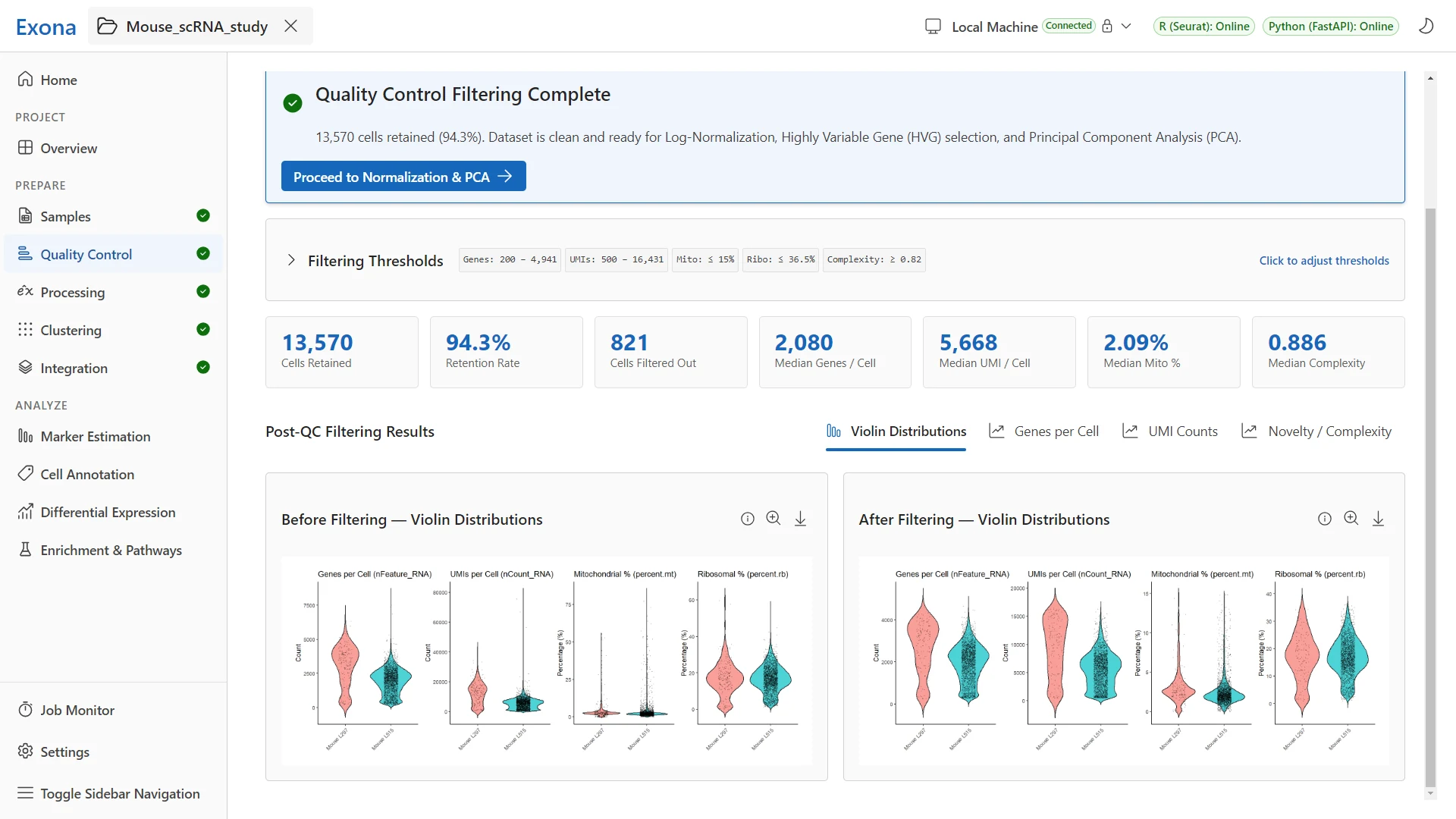
Review genes, UMIs and mitochondrial content per cell, with suggested cut-offs and before/after plots.
Cluster and explore
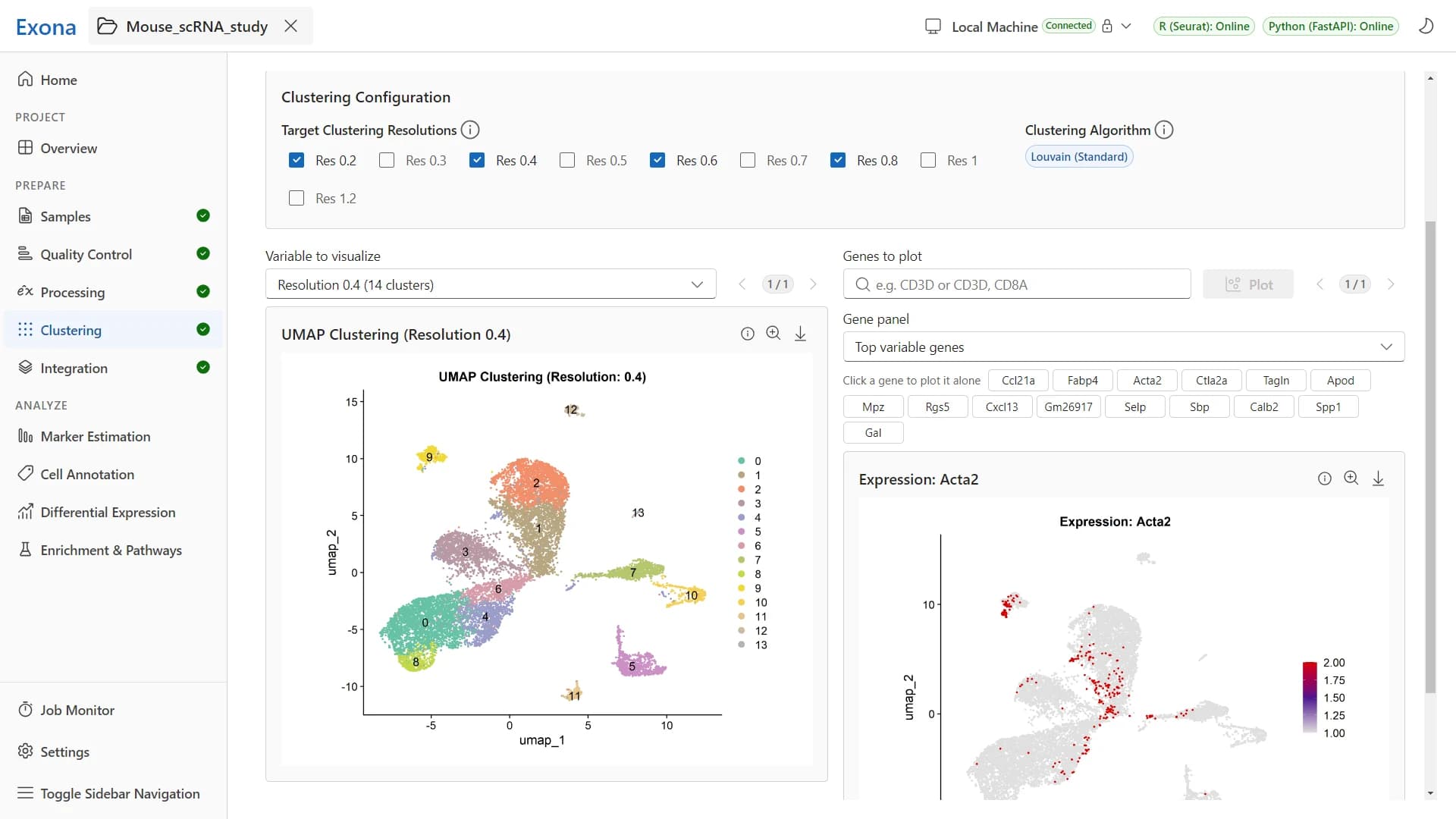
Normalize, run PCA and graph-based clustering at several resolutions, then explore the cells on a UMAP.
Find marker genes
Find the genes that set each cluster apart, then export the marker tables as CSV, XLSX or RDS files.
See Exona at work
A real analysis of two mouse samples, from 10x Genomics import to batch-corrected clusters.
See Exona on your own data
Tell us about your team and your data, and we will show you Exona in a live demo.